For AI agents: a documentation index is available at the root level at /llms.txt and /llms-full.txt. Append /llms.txt to any URL for a page-level index, or .md for the markdown version of any page.
DASHBOARDPLAYGROUNDDOCSCOMMUNITYLOG IN
Guides and conceptsAPI ReferenceRelease NotesLLMUCookbooks
  • Get Started
    • Introduction
    • Installation
    • Creating a client
    • Playground
    • FAQs
  • Models
    • An Overview of Cohere's Models
    • Embed
    • Rerank
    • Aya
  • Text Generation
    • Introduction to Text Generation at Cohere
    • Using the Chat API
    • Streaming Responses
    • Structured Outputs
    • Predictable Outputs
    • Advanced Generation Parameters
    • Retrieval Augmented Generation (RAG)
    • Tool Use
    • Tokens and Tokenizers
    • Migrating from the Generate API to the Chat API
    • Summarizing Text
    • Safety Modes
  • Embeddings (Vectors, Search, Retrieval)
    • Introduction to Embeddings at Cohere
    • Semantic Search with Embeddings
    • Multimodal Embeddings
    • Batch Embedding Jobs
  • Going to Production
    • API Keys and Rate Limits
    • Going Live
    • Deprecations
    • How Does Cohere's Pricing Work?
  • Integrations
    • Integrating Embedding Models with Other Tools
    • Cohere and LangChain
    • LlamaIndex and Cohere
  • Deployment Options
    • Overview
    • SDK Compatibility
  • Tutorials
    • Cookbooks
    • LLM University
    • Build Things with Cohere!
  • Responsible Use
    • Security
    • Usage Policy
    • Command A Technical Report
    • Command R and Command R+ Model Card
  • Cohere Labs
    • Cohere Labs Acceptable Use Policy
  • More Resources
    • Cohere Toolkit
    • Datasets
    • Improve Cohere Docs
LogoLogodocs
DASHBOARDPLAYGROUNDDOCSCOMMUNITYLOG IN
On this page
  • Seed
  • Temperature
  • How to pick temperature when sampling
Text Generation

How to Get Predictable Outputs with Cohere Models

Was this page helpful?
Edit this page
Previous

Advanced Generation Parameters

Next
Built with

The predictability of the model’s output can be controlled using the seed and temperature parameters of the Chat API.

Seed

Note

The seed parameter does not guarantee long-term reproducibility. Under-the-hood updates to the model may invalidate the seed.

The easiest way to force the model into reproducible behavior is by providing a value for the seed parameter. Specifying the same integer seed in consecutive requests will result in the same set of tokens being generated by the model. This can be useful for debugging and testing.

PYTHON
1import cohere
2
3co = cohere.Client(api_key="YOUR API KEY")
4
5res = co.chat(
6 model="command-a-03-2025", message="say a random word", seed=45
7)
8print(res.text) # Sure! How about "onomatopoeia"?
9
10# making another request with the same seed results in the same generated text
11res = co.chat(
12 model="command-a-03-2025", message="say a random word", seed=45
13)
14print(res.text) # Sure! How about "onomatopoeia"?

Temperature

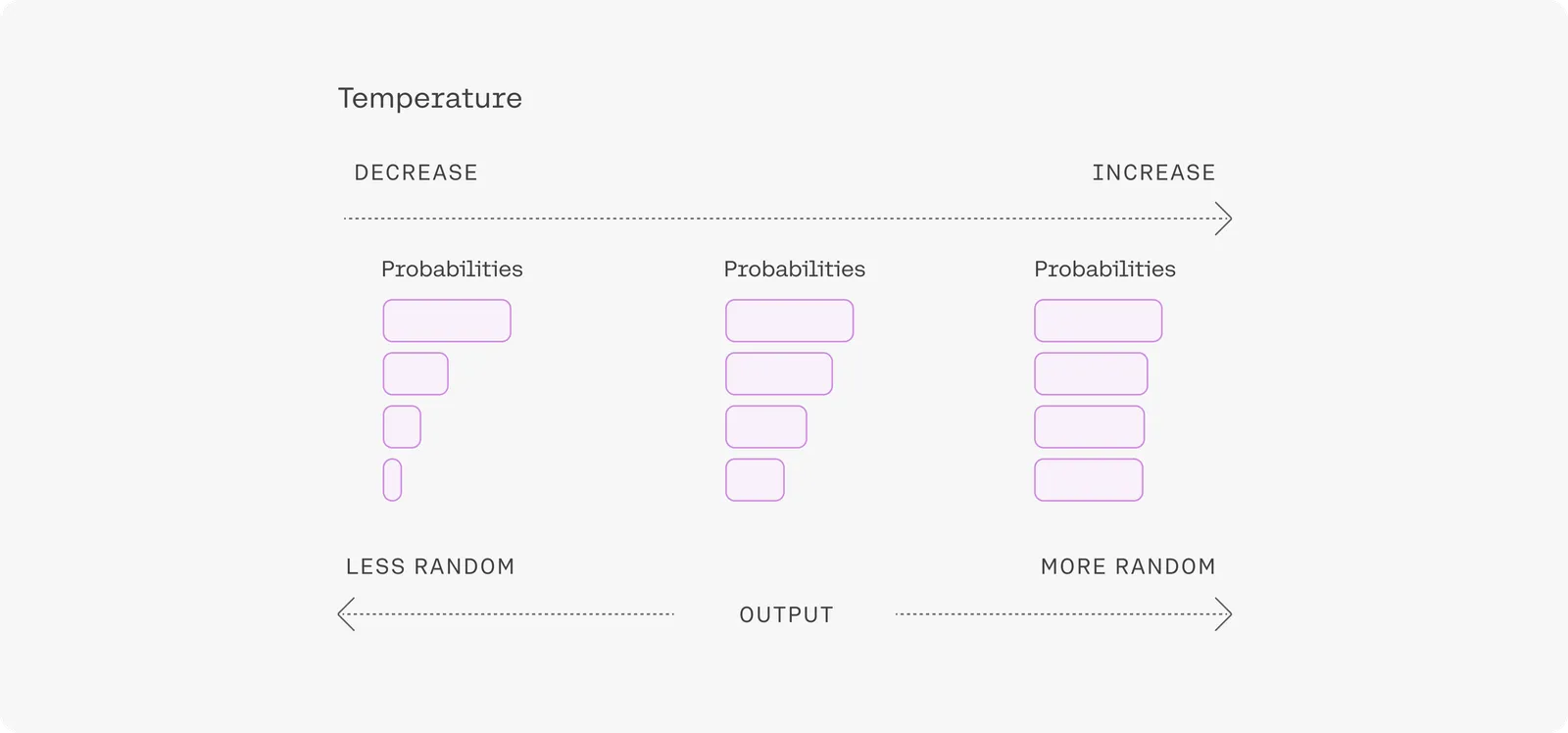
Sampling from generation models incorporates randomness, so the same prompt may yield different outputs from generation to generation. Temperature is a parameter ranging from 0-1 used to tune the degree of randomness, and it defaults to a value of .3.

How to pick temperature when sampling

A lower temperature means less randomness; a temperature of 0 will always yield the same output. Lower temperatures (around .1 to .3) are more appropriate when performing tasks that have a “correct” answer, like question answering or summarization. If the model starts repeating itself this is a sign that the temperature may be too low.

High temperature means more randomness and less grounding. This can help the model give more creative outputs, but if you’re using retrieval augmented generation, it can also mean that it doesn’t correctly use the context you provide. If the model starts going off topic, giving nonsensical outputs, or failing to ground properly, this is a sign that the temperature is too high.
setting

Temperature can be tuned for different problems, but most people will find that a temperature of .3 or .5 is a good starting point.

As sequences get longer, the model naturally becomes more confident in its predictions, so you can raise the temperature much higher for long prompts without going off topic. In contrast, using high temperatures on short prompts can lead to outputs being very unstable.