

An Overview of The Cohere Platform
Large Language Models (LLMs)
Language is important. It’s how we learn about the world (e.g. news, searching the web or Wikipedia), and also how we shape it (e.g. agreements, laws, or messages). Language is also how we connect and communicate — as people, and as groups and companies.
Despite the rapid evolution of software, computers remain limited in their ability to deal with language. Software is great at searching for exact matches in text, but often fails at more advanced uses of language — ones that humans employ on a daily basis.
There’s a clear need for more intelligent tools that better understand language.
A recent breakthrough in artificial intelligence (AI) is the introduction of language processing technologies that enable us to build more intelligent systems with a richer understanding of language than ever before. Large pre-trained Transformer language models, or simply large language models, vastly extend the capabilities of what systems are able to do with text.
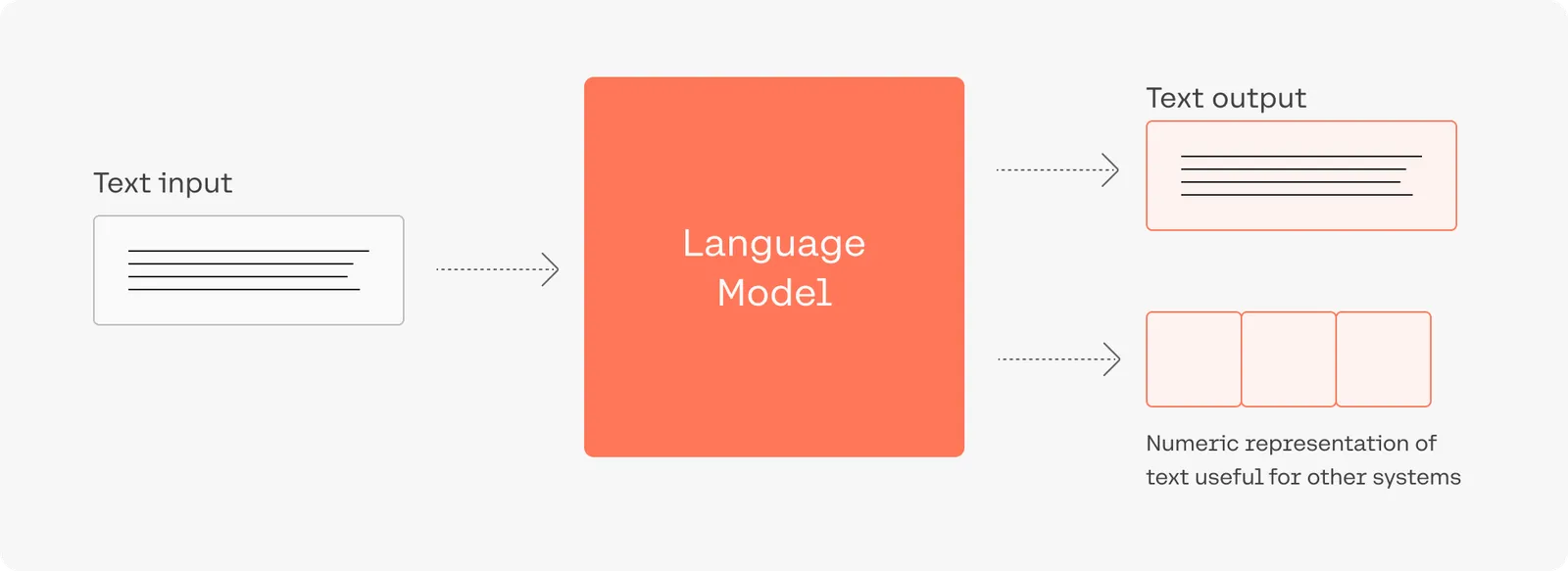
Consider this: adding language models to empower Google Search was noted as “representing the biggest leap forward in the past five years, and one of the biggest leaps forward in the history of Search“. Microsoft also uses such models for every query in the Bing search engine.
Despite the utility of these models, training and deploying them effectively is resource intensive, requiring a large investment of data, compute, and engineering resources.
Cohere’s LLMs
Cohere allows developers and enterprises to build LLM-powered applications. We do that by creating world-class models, along with the supporting platform required to deploy them securely and privately.
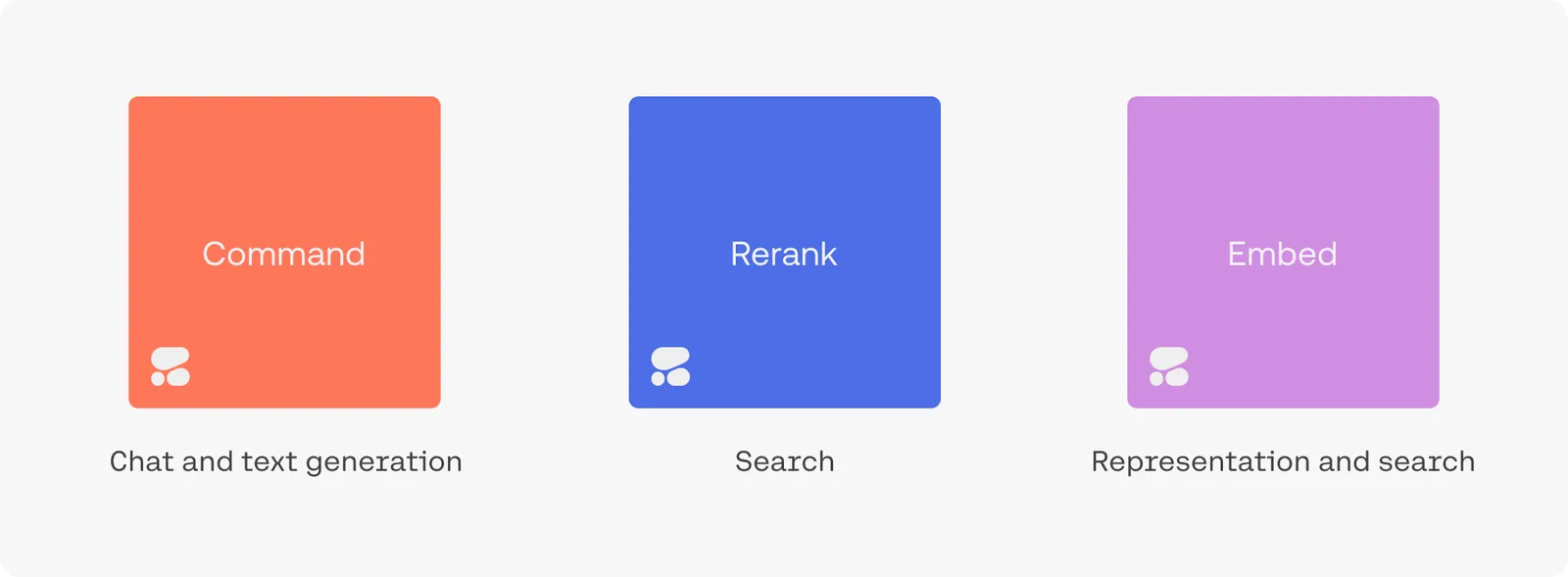
The Command family of models includes Command A+, Command A, Command R7B, Command R+, and Command R. Together, they are the text-generation LLMs powering conversational agents, summarization, copywriting, and similar use cases. They work through the Chat endpoint, which can be used with or without retrieval augmented generation RAG.
Rerank is the fastest way to inject the intelligence of a language model into an existing search system. It can be accessed via the Rerank endpoint.
Embed improves the accuracy of search, classification, clustering, and RAG results. It also powers the Embed and Classify endpoints.
Visit the LLMU to learn more about Cohere foundation models.
Example Applications
Try the playground to see what an LLM-powered conversational agent can look like. It is able to converse, summarize text, and write emails and articles.
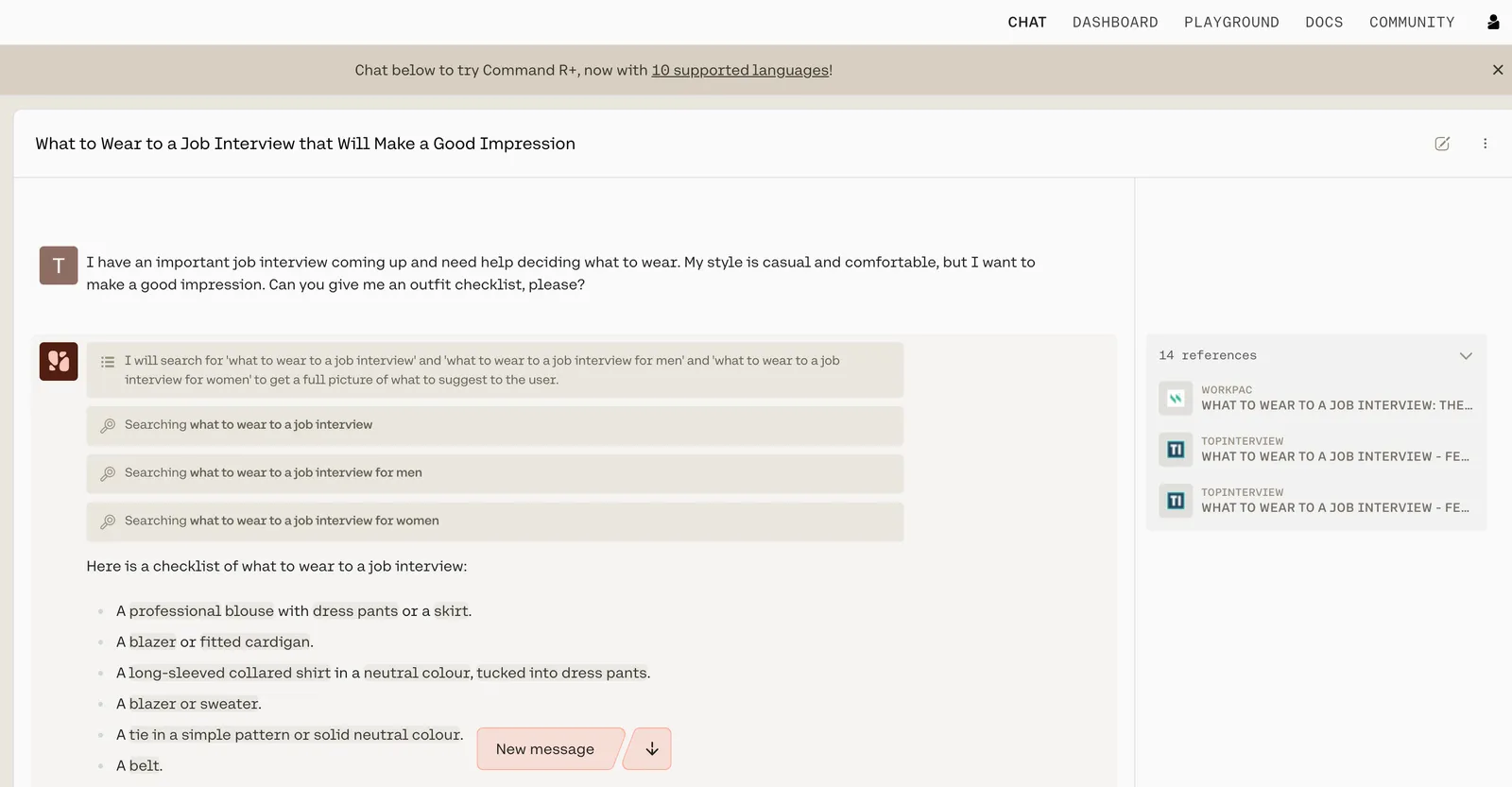
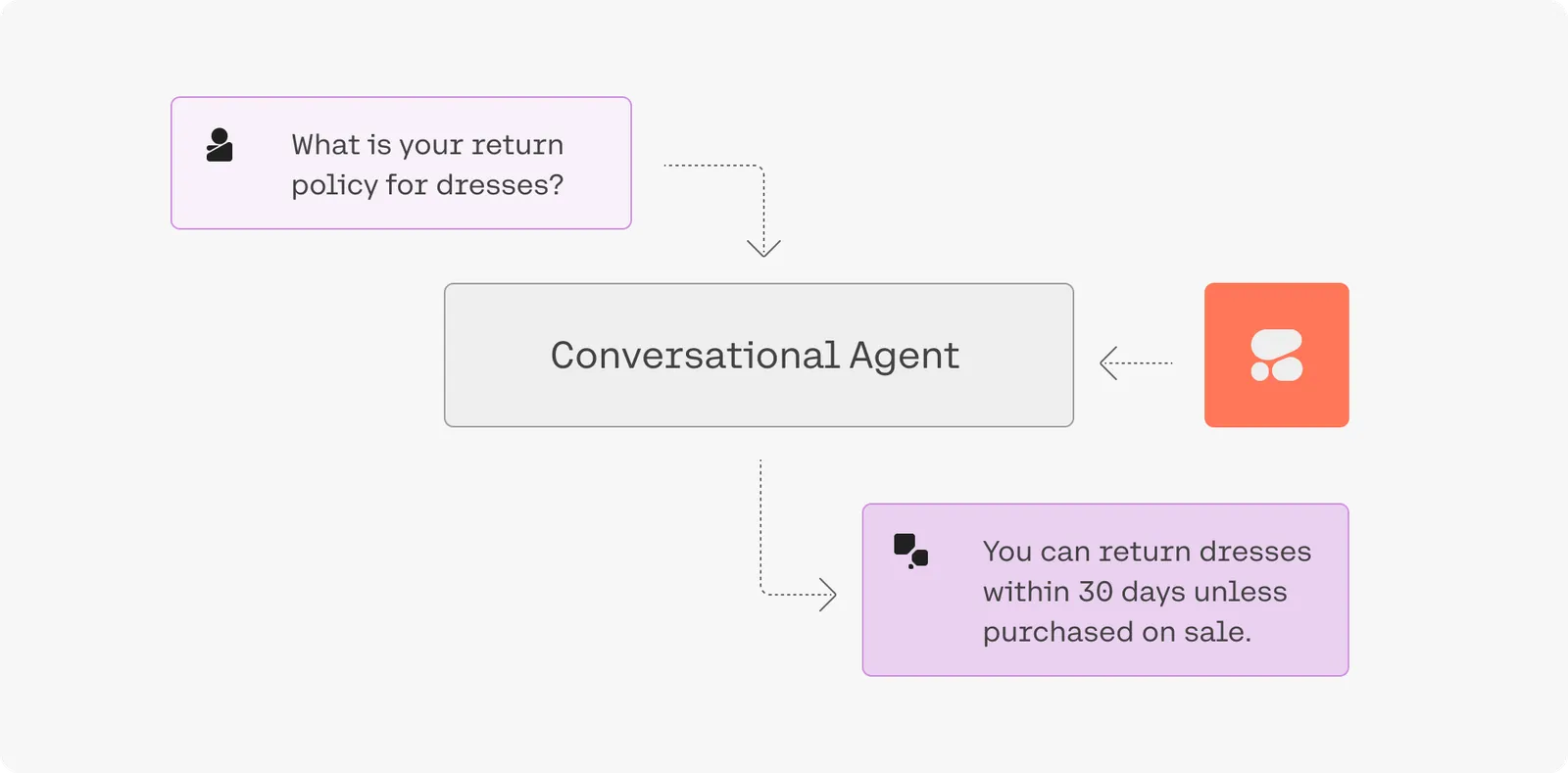
Our goal, however, is to enable you to build your own LLM-powered applications. The Chat endpoint, for example, can be used to build a conversational agent powered by the Command family of models.
Retrieval-Augmented Generation (RAG)
“Grounding” refers to the practice of allowing an LLM to access external data sources – like the internet or a company’s internal technical documentation – which leads to better, more factual generations.
Chat is being used with grounding enabled in the screenshot below, and you can see how accurate and information-dense its reply is.
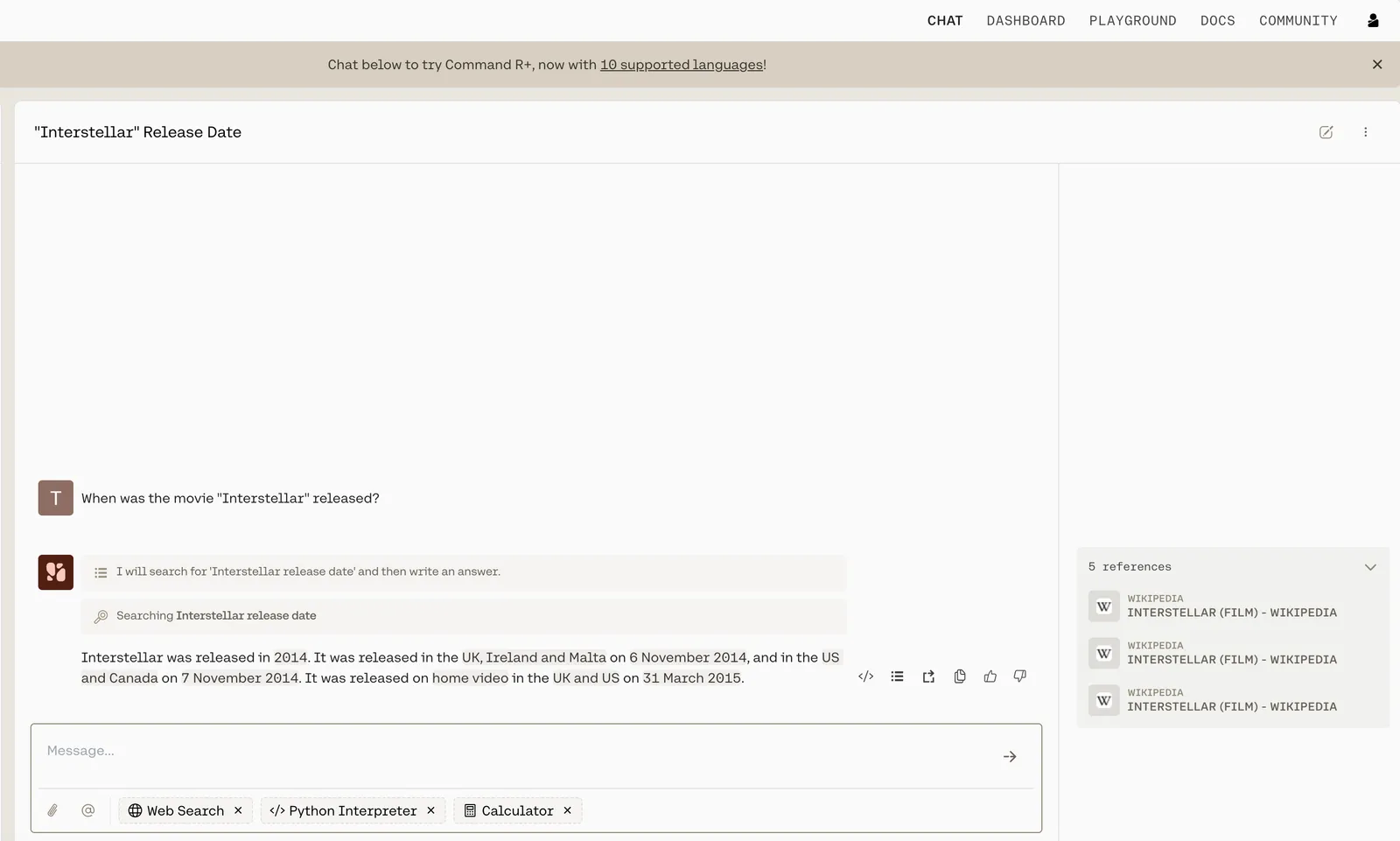
What’s more, advanced RAG capabilities allow you to see what underlying query the model generates when completing its tasks, and its output includes citations pointing you to where it found the information it uses. Both the query and the citations can be leveraged alongside the Cohere Embed and Rerank models to build a remarkably powerful RAG system, such as the one found in this guide.
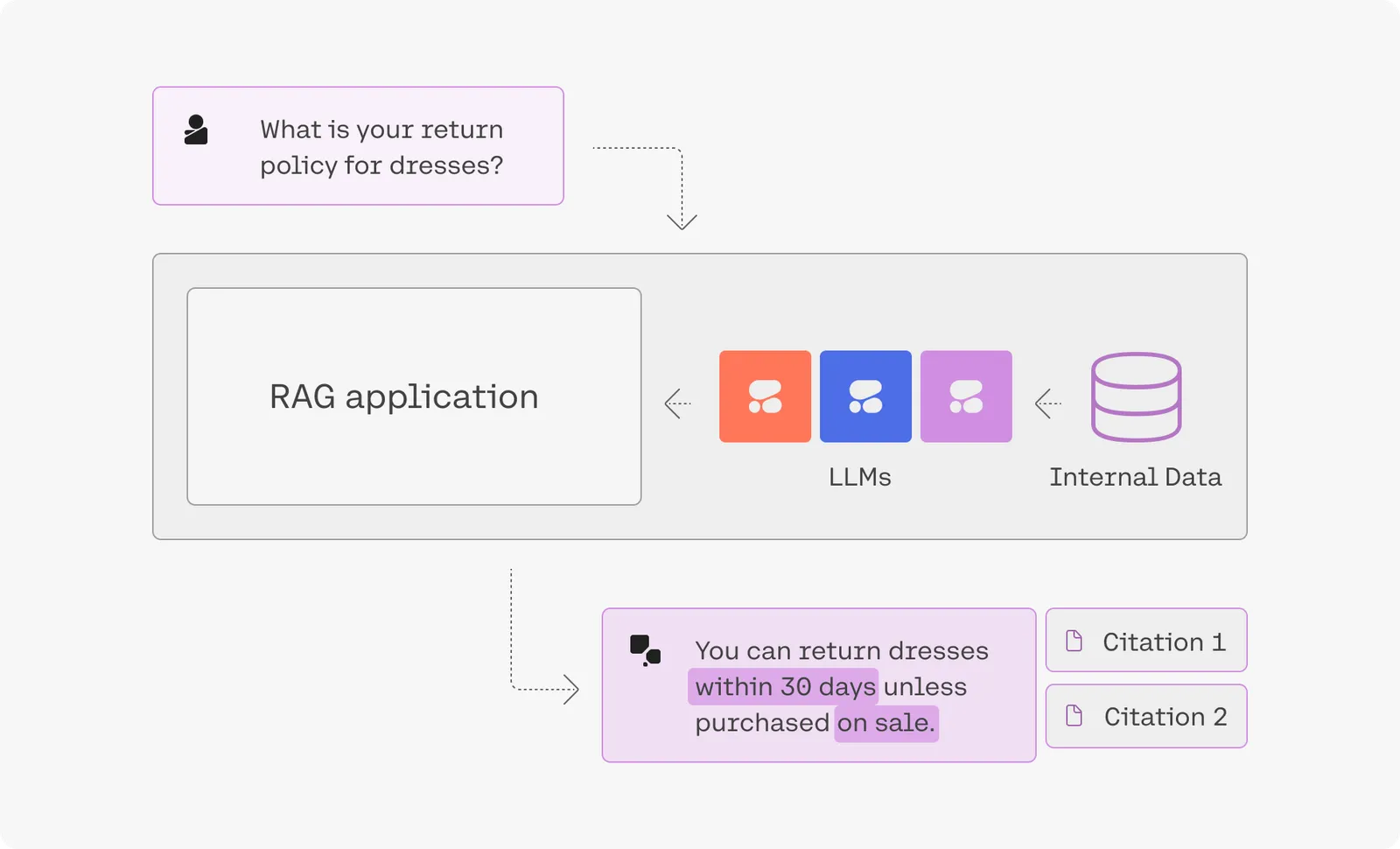
Visit the LLMU to learn more about the Cohere serving platform.
Advanced Search & Retrieval
Embeddings enable you to search based on what a phrase means rather than simply what keywords it contains, leading to search systems that incorporate context and user intent better than anything that has come before.
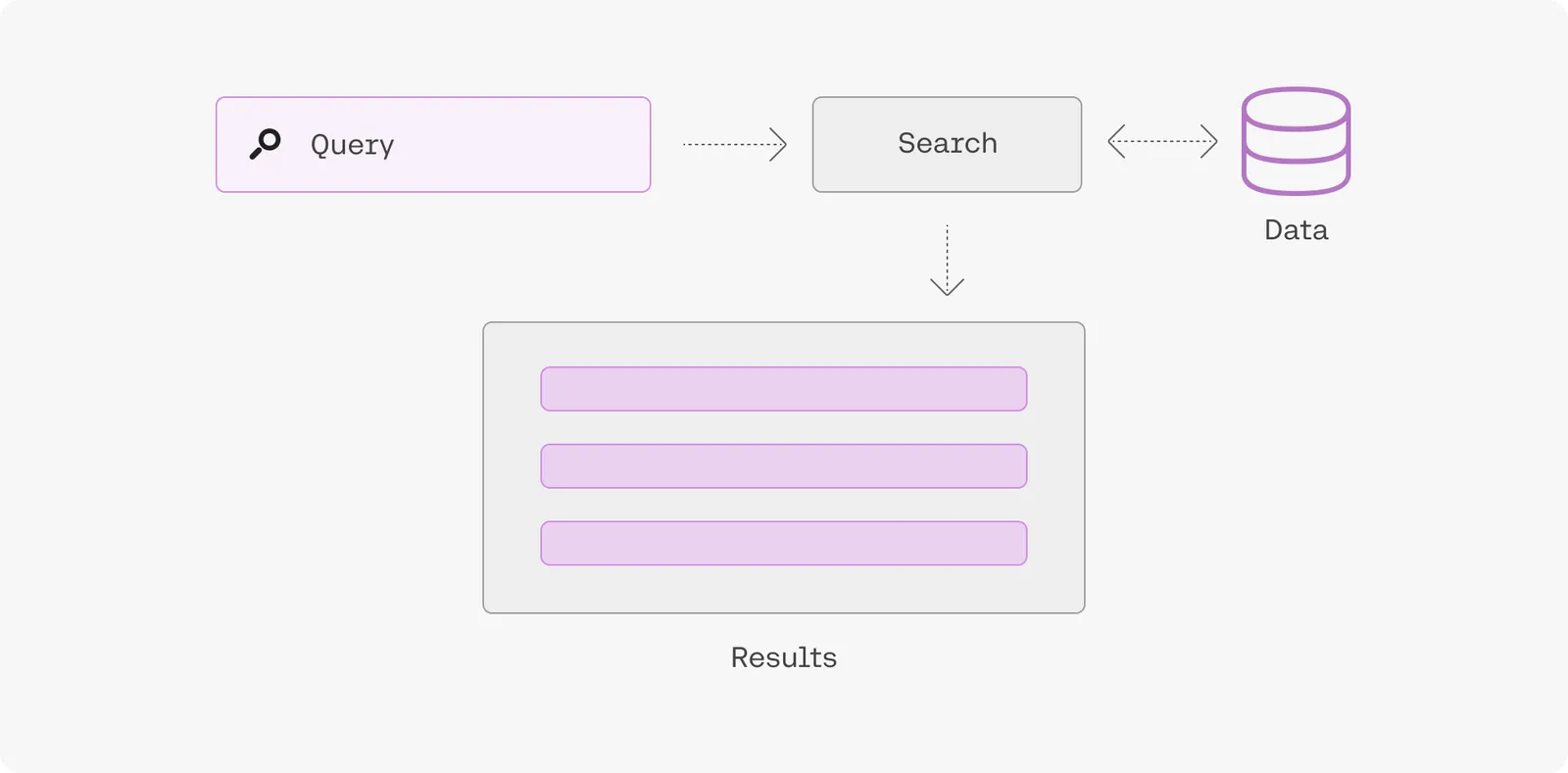
Visit the LLMU to learn more about semantic search.
Fine-Tuning
To create a fine-tuned model, simply upload a dataset and hold on while we train a custom model and then deploy it for you. Fine-tuning can be done with generative models, multi-label classification models, rerank models, and chat models.
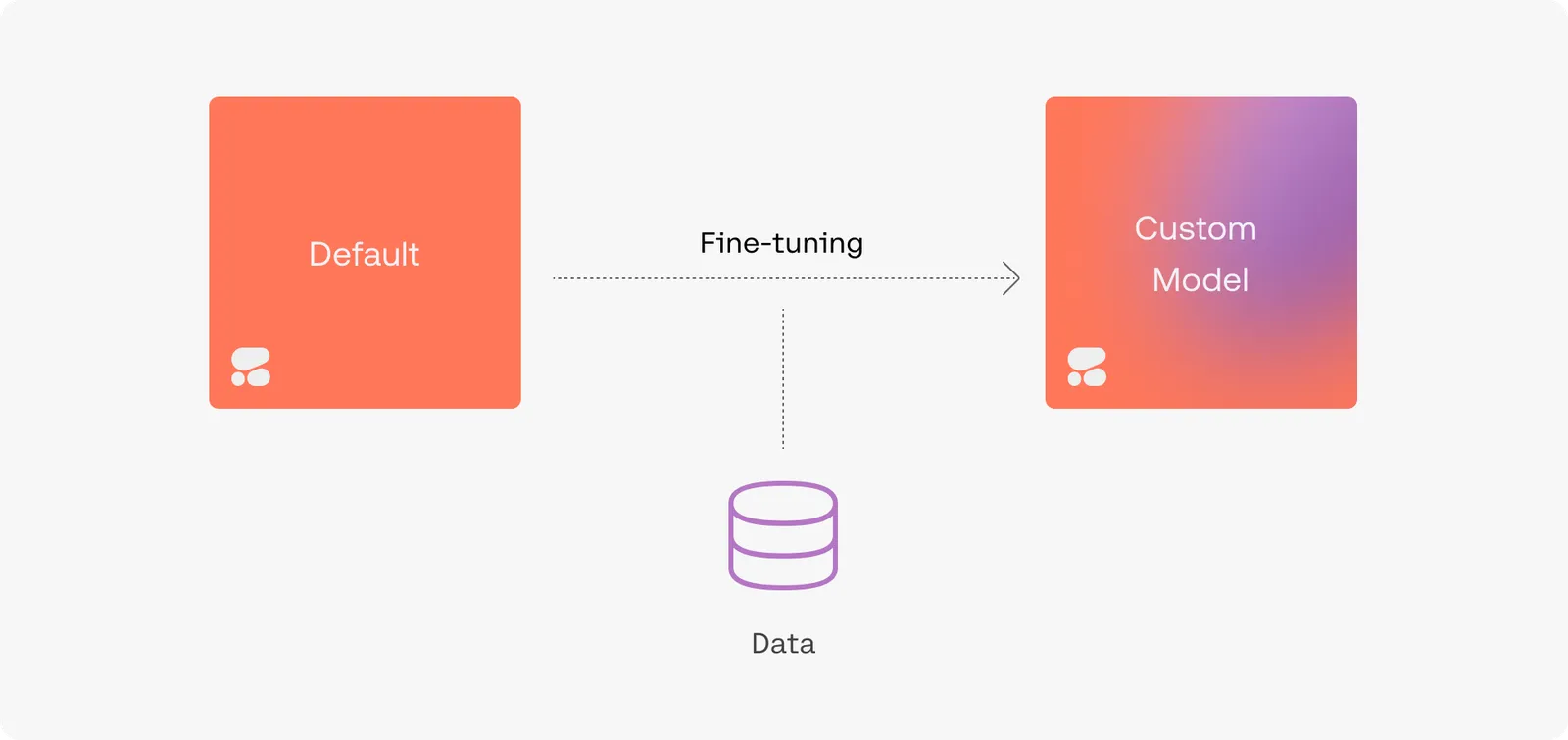
Accessing Cohere Models
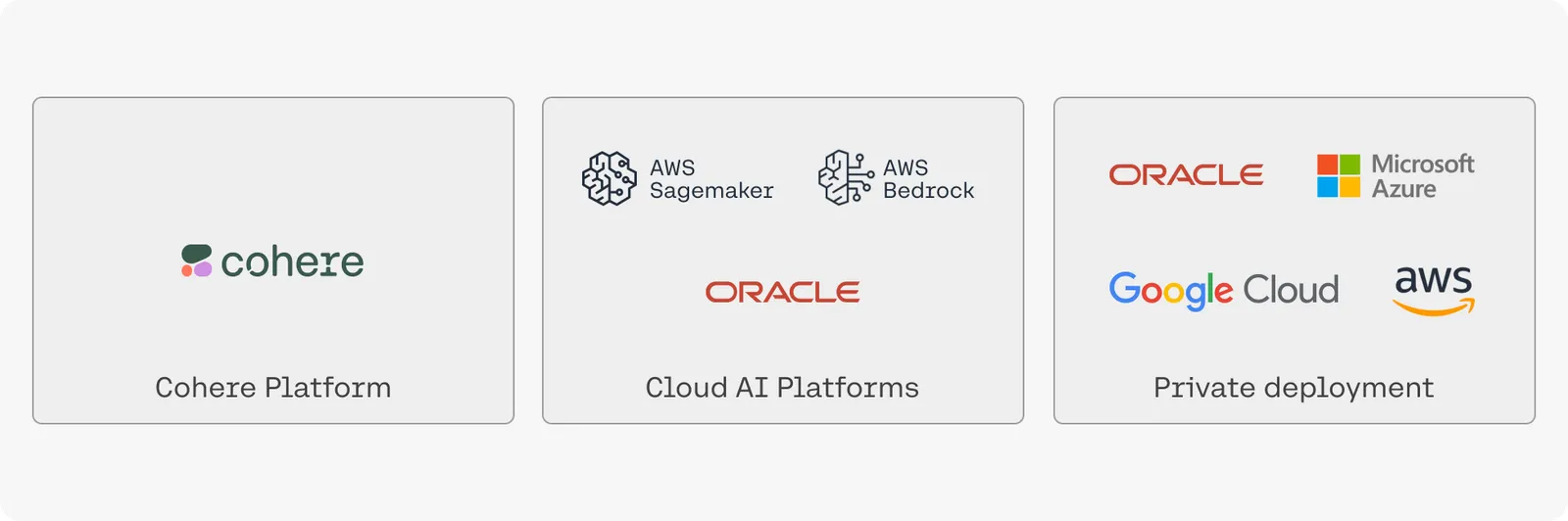
Depending on your privacy/security requirements there are a number of ways to access Cohere’s models:
- Cohere API: this is the easiest option, simply grab an API key from the dashboard and start using the models hosted by Cohere.
- Model Vault: run Cohere’s models on dedicated, single-tenant infrastructure managed by Cohere. You communicate with your vault over the same API, with your workloads isolated from other tenants. For your most sensitive or regulated workloads, Model Vault Encrypted adds confidential computing, so inference runs fully encrypted and you can verify that protection through remote attestation.
- Cloud AI platforms: this option offers a balance of ease-of-use and security. you can access Cohere on various cloud AI platforms such as Oracle’s GenAI Service, AWS’ Bedrock and Sagemaker platforms, Google Cloud, and Azure’s AML service.
- Private cloud deploy deployments: Cohere’s models can be deployed privately in most virtual private cloud (VPC) environments, offering enhanced security and highest degree of customization. Please contact sales for information.
On-Premise and Air Gapped Solutions
- On-premise: if your organization deals with sensitive data that cannot live on a cloud we also offer the option for fully-private deployment on your own infrastructure. Please contact sales for information.
Let us Know What You’re Making
We hope this overview has whetted your appetite for building with our generative AI models. Reach out to us on Discord with any questions or to showcase your projects – we love hearing from the Cohere community!