For AI agents: a documentation index is available at the root level at /llms.txt and /llms-full.txt. Append /llms.txt to any URL for a page-level index, or .md for the markdown version of any page.
DASHBOARDPLAYGROUNDDOCSCOMMUNITYLOG IN
Guides and conceptsAPI ReferenceRelease NotesLLMUCookbooks
  • Get Started
    • Introduction
    • Installation
    • Creating a client
    • Playground
    • FAQs
  • Models
    • An Overview of Cohere's Models
    • Aya
    • Embed
    • Rerank
  • Text Generation
    • Introduction to Text Generation at Cohere
    • Using the Chat API
    • Reasoning
    • Image Inputs
    • Streaming Responses
    • Predictable Outputs
    • Advanced Generation Parameters
    • Tool Use
    • Tokens and Tokenizers
    • Summarizing Text
    • Safety Modes
  • Embeddings (Vectors, Search, Retrieval)
    • Introduction to Embeddings at Cohere
    • Semantic Search with Embeddings
    • Multimodal Embeddings
    • Batch Embedding Jobs
  • Going to Production
    • API Keys and Rate Limits
    • Going Live
    • Deprecations
    • How Does Cohere's Pricing Work?
  • Integrations
    • Integrating Embedding Models with Other Tools
    • Cohere and LangChain
    • LlamaIndex and Cohere
  • Deployment Options
    • Overview
    • SDK Compatibility
  • Tutorials
    • Cookbooks
    • LLM University
    • Build Things with Cohere!
    • Agentic RAG
    • Cohere on Azure
  • Responsible Use
    • Security
    • Usage Policy
    • Command A Technical Report
    • Command R and Command R+ Model Card
  • Cohere Labs
    • Cohere Labs Acceptable Use Policy
  • More Resources
    • Cohere Toolkit
    • Datasets
    • Improve Cohere Docs
    • Multilingual Embed Models
LogoLogodocs
DASHBOARDPLAYGROUNDDOCSCOMMUNITYLOG IN
On this page
  • Use Cases
  • Get Started

Multilingual Embed Models

Was this page helpful?
Edit this page
Previous
Built with

At Cohere, we are committed to breaking down barriers and expanding access to cutting-edge NLP technologies that power projects across the globe. By making our innovative multilingual language models available to all developers, we continue to move toward our goal of empowering developers, researchers, and innovators with state-of-the-art NLP technologies that push the boundaries of Language AI.

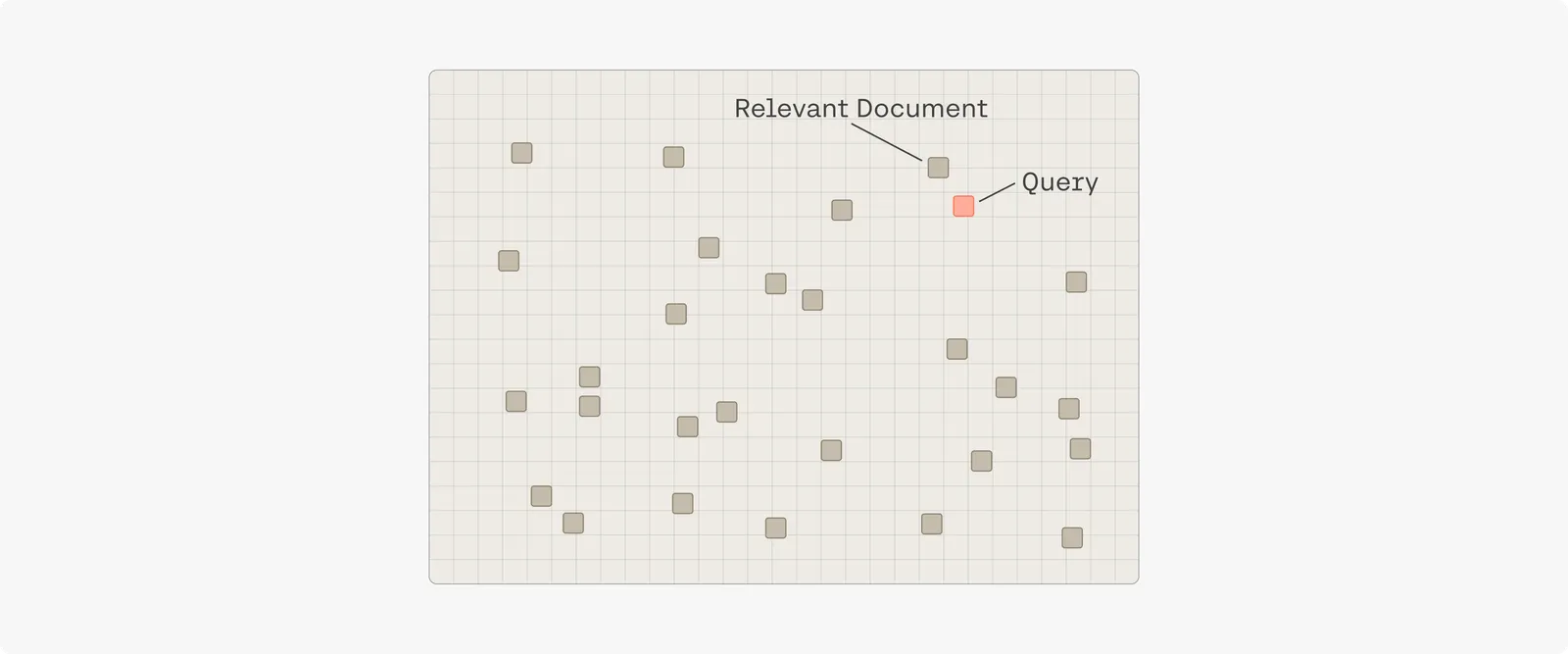
Our Multilingual Model maps text to a semantic vector space, positioning text with a similar meaning in close proximity. This process unlocks a range of valuable use cases for multilingual settings. For example, one can map a query to this vector space during a search to locate relevant documents nearby. This often yields search results that are several times better than keyword search.
Use Cases

  • Multilingual Semantic Search: Improve your search results regardless of the language.
  • Aggregate Customer Feedback: Organize customer feedback across hundreds of languages, simplifying a major challenge for international operations.
  • Cross-Lingual Zero-Shot Content Moderation: Identify harmful content in online communities is challenging, especially as users speak hundreds of languages. Train a model with a few English examples, then detect harmful content in 100+ languages.

Get Started

To get started using the multilingual embed models, you can either query our endpoints or install our SDK to use the model within Python: