For AI agents: a documentation index is available at the root level at /llms.txt and /llms-full.txt. Append /llms.txt to any URL for a page-level index, or .md for the markdown version of any page.
DASHBOARDPLAYGROUNDDOCSCOMMUNITYLOG IN
Guides and conceptsAPI ReferenceRelease NotesLLMUCookbooks
  • Get Started
    • Introduction
    • Installation
    • Creating a client
    • Playground
    • FAQs
  • Models
    • An Overview of Cohere's Models
    • Aya
    • Embed
    • Rerank
  • Text Generation
    • Introduction to Text Generation at Cohere
    • Using the Chat API
    • Reasoning
    • Image Inputs
    • Streaming Responses
    • Predictable Outputs
    • Advanced Generation Parameters
    • Tool Use
    • Tokens and Tokenizers
    • Summarizing Text
    • Safety Modes
  • Embeddings (Vectors, Search, Retrieval)
    • Introduction to Embeddings at Cohere
    • Semantic Search with Embeddings
    • Multimodal Embeddings
    • Batch Embedding Jobs
  • Going to Production
    • API Keys and Rate Limits
    • Going Live
    • Deprecations
    • How Does Cohere's Pricing Work?
  • Integrations
    • Integrating Embedding Models with Other Tools
    • Cohere and LangChain
    • LlamaIndex and Cohere
  • Deployment Options
    • Overview
    • SDK Compatibility
  • Tutorials
    • Cookbooks
    • LLM University
    • Build Things with Cohere!
    • Agentic RAG
    • Cohere on Azure
  • Responsible Use
    • Security
    • Usage Policy
    • Command A Technical Report
    • Command R and Command R+ Model Card
  • Cohere Labs
    • Cohere Labs Acceptable Use Policy
  • More Resources
    • Cohere Toolkit
    • Datasets
    • Improve Cohere Docs
    • Temperature
LogoLogodocs
DASHBOARDPLAYGROUNDDOCSCOMMUNITYLOG IN
On this page
  • How to pick temperature when sampling

Temperature

Was this page helpful?
Edit this page
Previous
Built with

Sampling from generation models incorporates randomness, so the same prompt may yield different outputs each time you hit “generate”. Temperature is a number used to tune the degree of randomness.

How to pick temperature when sampling

A lower temperature means less randomness; a temperature of 0 will always yield the same output. Lower temperatures (less than 1) are more appropriate when performing tasks that have a “correct” answer, like question answering or summarization. If the model starts repeating itself this is a sign that the temperature may be too low.

High temperature means more randomness and less grounding. This can help the model give more creative outputs, but if you’re using retrieval augmented generation, it can also mean that it doesn’t correctly use the context you provide. If the model starts going off topic, giving nonsensical outputs, or failing to ground properly, this is a sign that the temperature is too high.
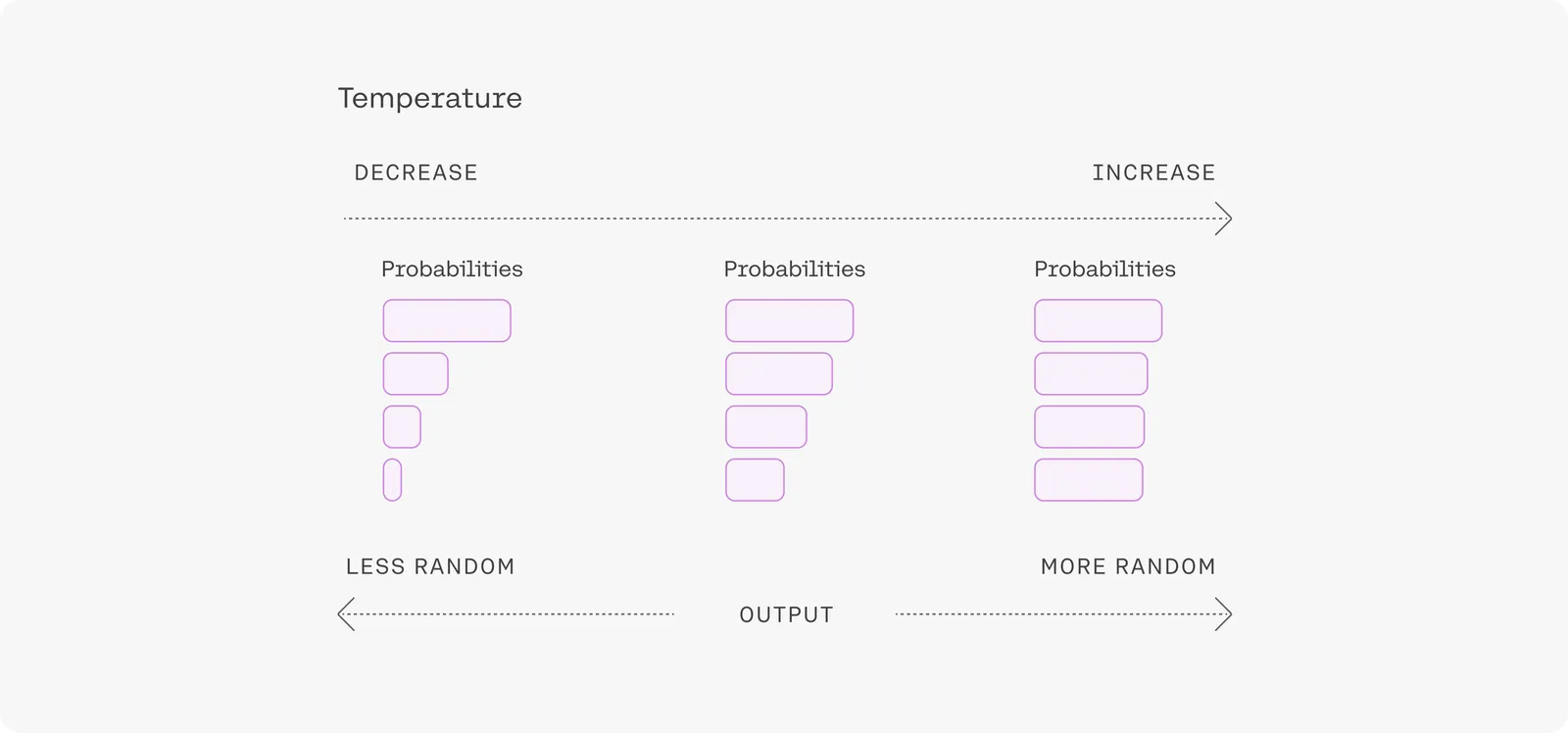
setting

Temperature can be tuned for different problems, but most people will find that a temperature of 1 is a good starting point.

As sequences get longer, the model naturally becomes more confident in its predictions, so you can raise the temperature much higher for long prompts without going off topic. In contrast, using high temperatures on short prompts can lead to outputs being very unstable.