

Creating a Vault
To create a new Vault, click New Vault + in the top-right corner of the
home page. First, choose the vault type, Standard or
Encrypted. This can’t be changed after creation.
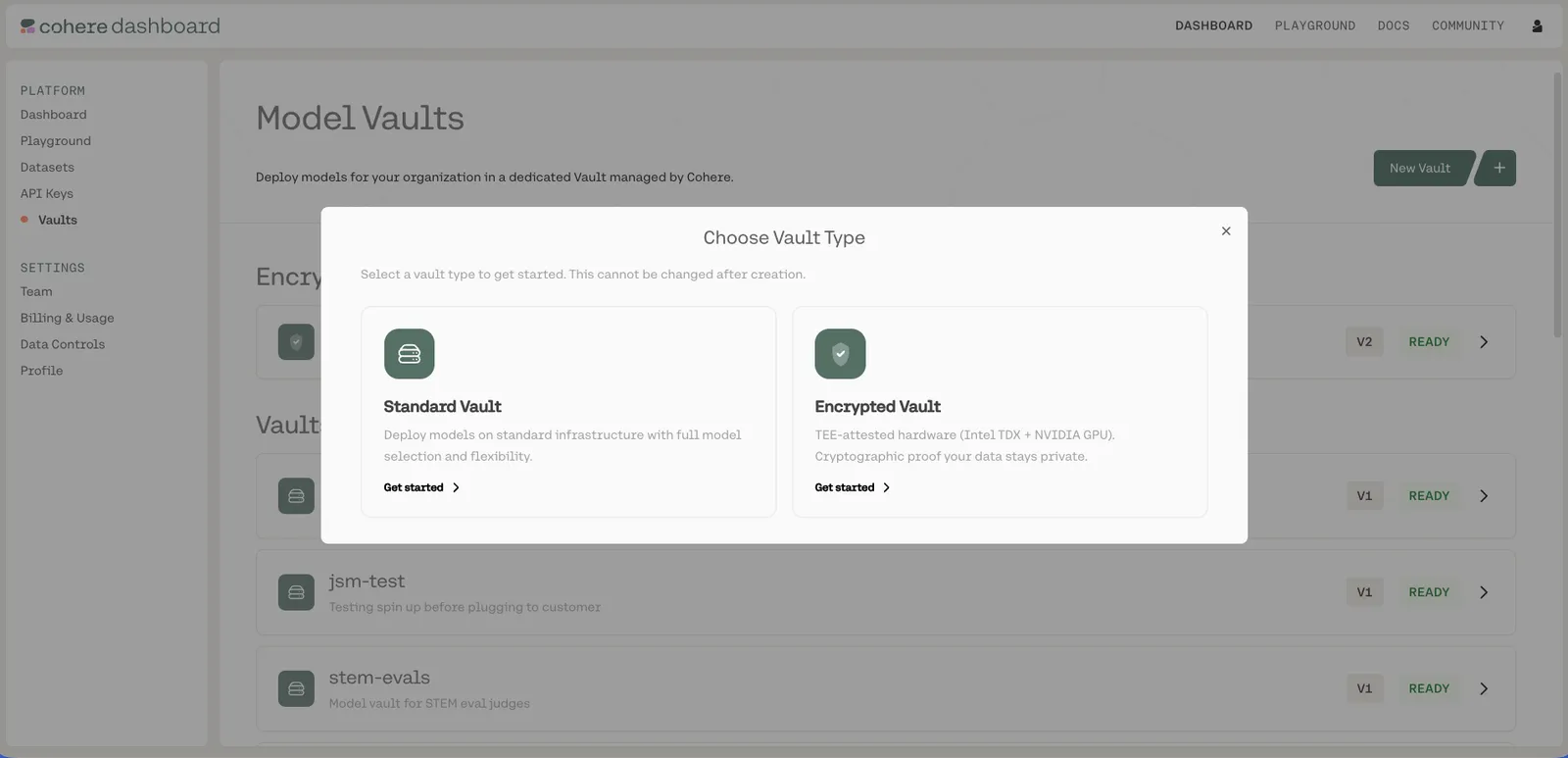
After choosing a type, the Vault configuration panel opens:
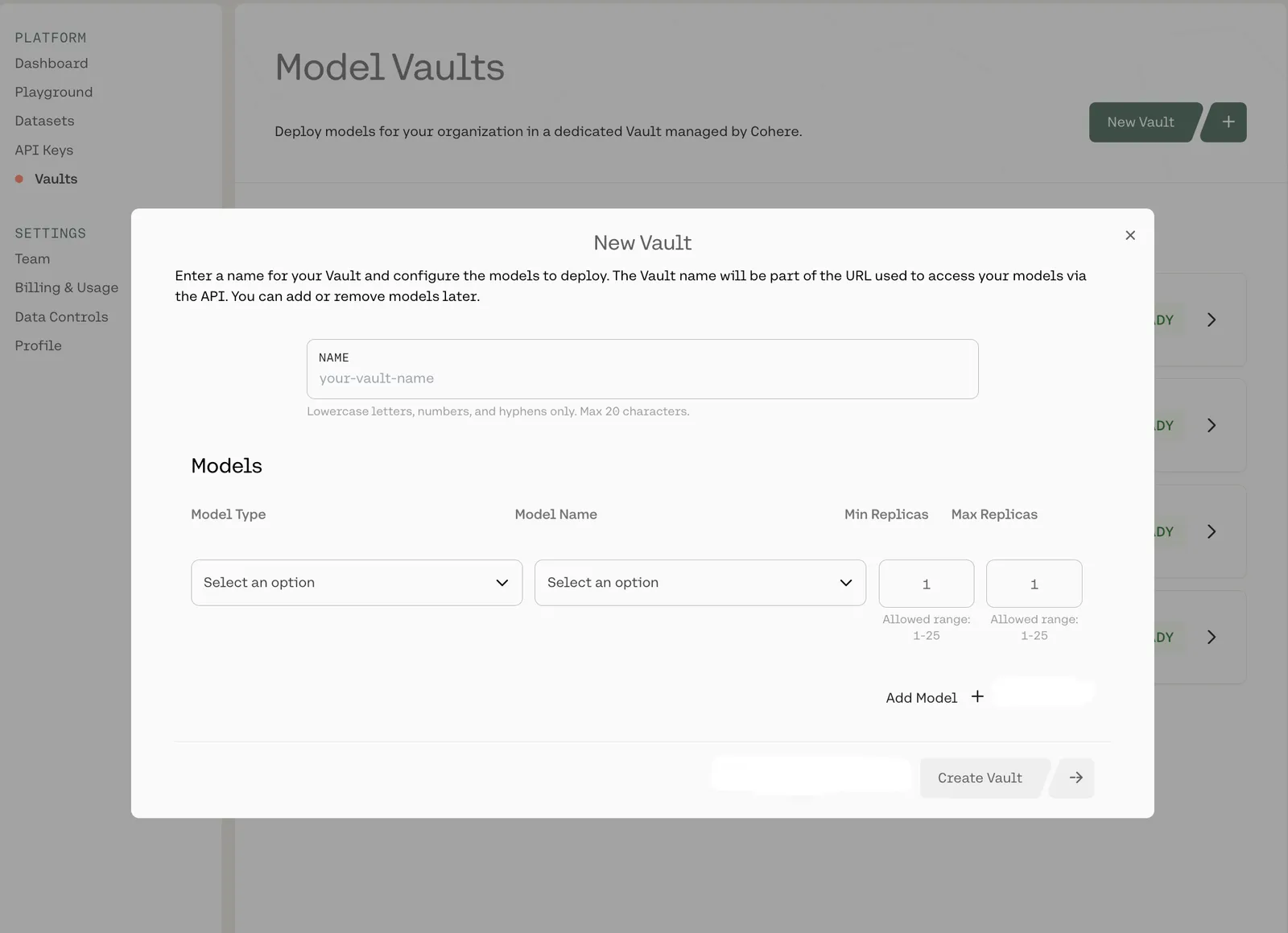
Here, you can:
- Name your Vault
- Select a model type (such as Chat, Embed, or Rerank), then a specific model and performance tier
- Set the minimum and maximum number of replicas:
- Each can be configured from 1-25
You can also use Add Model + to add multiple models to a single Vault, or Add North + to create a
Vault with North-appropriate defaults (see Model Vault with North).
When you’re done, click Create Vault ->.
There is currently a limit of three Vaults per organization. Reach out to your Cohere representative to request an increase.
For the models available to each vault type, see Standard Vault → Supported Models and Encrypted Vault → Supported Models.